
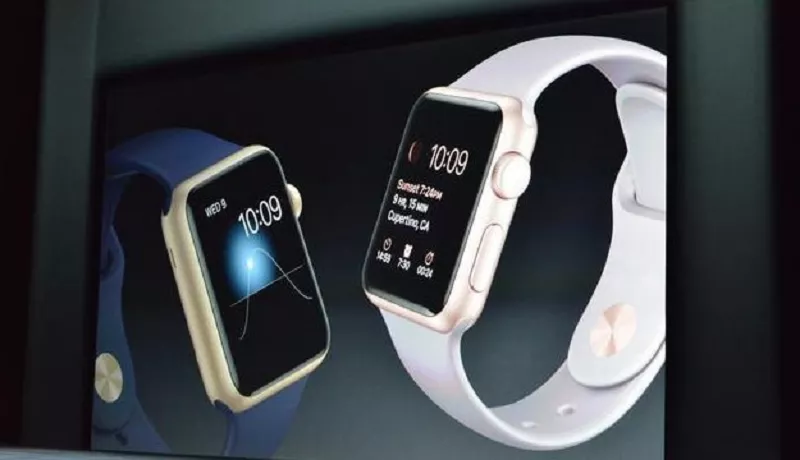
Fall detection is an advanced safety feature integrated into Apple Watch SE and Series 4 or newer models, designed to automatically detect when the wearer experiences a hard fall.
This technology is a significant innovation in personal safety, given the severe consequences of falls, especially for older adults. According to the CDC, falls are a leading cause of injury among seniors, resulting in millions of emergency room visits and hundreds of thousands of hospitalizations annually.
The feature leverages a sophisticated combination of hardware sensors, including an accelerometer to measure changes in velocity and a gyroscope to determine body orientation. Apple has refined its proprietary algorithms to analyze data from these sensors to distinguish a serious fall from everyday high-impact activities like jumping or running.
The Step-by-Step Emergency Response Process After a Fall
When the Apple Watch algorithms determine a severe fall has occurred, it initiates a multi-stage alert process to ensure the wearer receives help. First, the watch screen illuminates with an alert message and provides a gentle haptic tap on the wrist, accompanied by a distinct audible alarm.
The on-screen message states, “It looks like you took a hard fall,” and presents three clear options for the user to tap: “Call Emergency Services,” “I Fell but I’m OK,” or “I Did Not Fall.” If the wearer is conscious and able, they can indicate their status, thereby preventing an unnecessary emergency call.
However, if the watch detects no movement or response for approximately one minute, it will automatically begin a 30-second countdown with increasingly louder prompts and more pronounced vibrations before proactively contacting emergency services.
Essential Setup and Configuration for Optimal Functionality
To ensure the fall detection feature works correctly, proper setup is crucial. The feature is automatically enabled for users who have set their age as 55 or older in the Health app.
For users under 55 who wish to activate it manually, they can do so by opening the Watch app on their paired iPhone, navigating to the My Watch tab, selecting SOS > Emergency, and toggling “Fall Detection” on. Users can then choose between “Always On” or “Only During Workouts.” Beyond activating the feature, it is vital to configure the underlying emergency services framework.
This includes verifying that the “Emergency Call and SOS” setting is enabled in the Location Services menu and that the Medical ID within the Health app is fully populated with accurate information about medical conditions, allergies, and current medications, which can be automatically shared with responders.
Evaluating the Accuracy and Reliability Based on Current Research
While a powerful tool, it is important to understand the technological limitations of fall detection. Apple itself provides a disclaimer that the watch cannot detect all falls and may occasionally mistake intense physical activity for a fall, leading to a false alarm.
Independent research on the specific accuracy of Apple Watch’s fall detection is still emerging, but initial studies suggest it may not be as reliable as dedicated medical alert systems, which are typically worn on the torso. A 2022 study indicated a relatively low detection rate for certain types of falls, with a high rate of false negatives.
This highlights that while the feature provides an invaluable layer of safety, it should not be considered an infallible replacement for traditional medical alert devices, especially for individuals at very high risk.
Proactive Measures to Supplement Technology and Prevent Falls
Relying solely on technology for fall response is not enough; a proactive approach to prevention is essential. Individuals should have open discussions with their healthcare providers about their personal fall risk, which can be influenced by medications, vision issues, or underlying health conditions.
A pharmacist can review prescriptions for drugs that may cause dizziness or affect balance. Annual eye exams are critical to ensure optimal vision, and strength and balance-focused exercises like Tai Chi have been proven to significantly reduce fall risk by improving stability and core strength.
Additionally, making simple modifications to the home environment, such as removing tripping hazards, improving lighting, installing grab bars in bathrooms, and using non-slip mats, can dramatically enhance safety.
Integrating Apple Watch into a Comprehensive Personal Safety Plan
The Apple Watch fall detection feature represents a remarkable integration of consumer technology and personal healthcare safety. It offers peace of mind to both wearers and their loved ones by providing a direct link to emergency assistance when it is needed most.
However, for individuals with significant health conditions or a high risk of falling, it is most effective when used as part of a broader, layered safety strategy. This strategy should include traditional medical alert systems, regular communication with healthcare professionals, and the implementation of preventative lifestyle and home modifications.
By understanding its capabilities, properly configuring the settings, and combining it with proactive health measures, the Apple Watch can serve as a powerful component in maintaining independence and safety.
Related topics:
